
Attendance and the search log
Attendance
Section titled “Attendance”The Attendance tab is not a manually maintained attendance register. It appears only when the setting has an integration that supplies dated attendance information and your account has the relevant safeguarding access.
- Open the child’s record.
- Look for Attendance in the profile tabs.
- If it is present, open it and review the dated attendance information displayed.
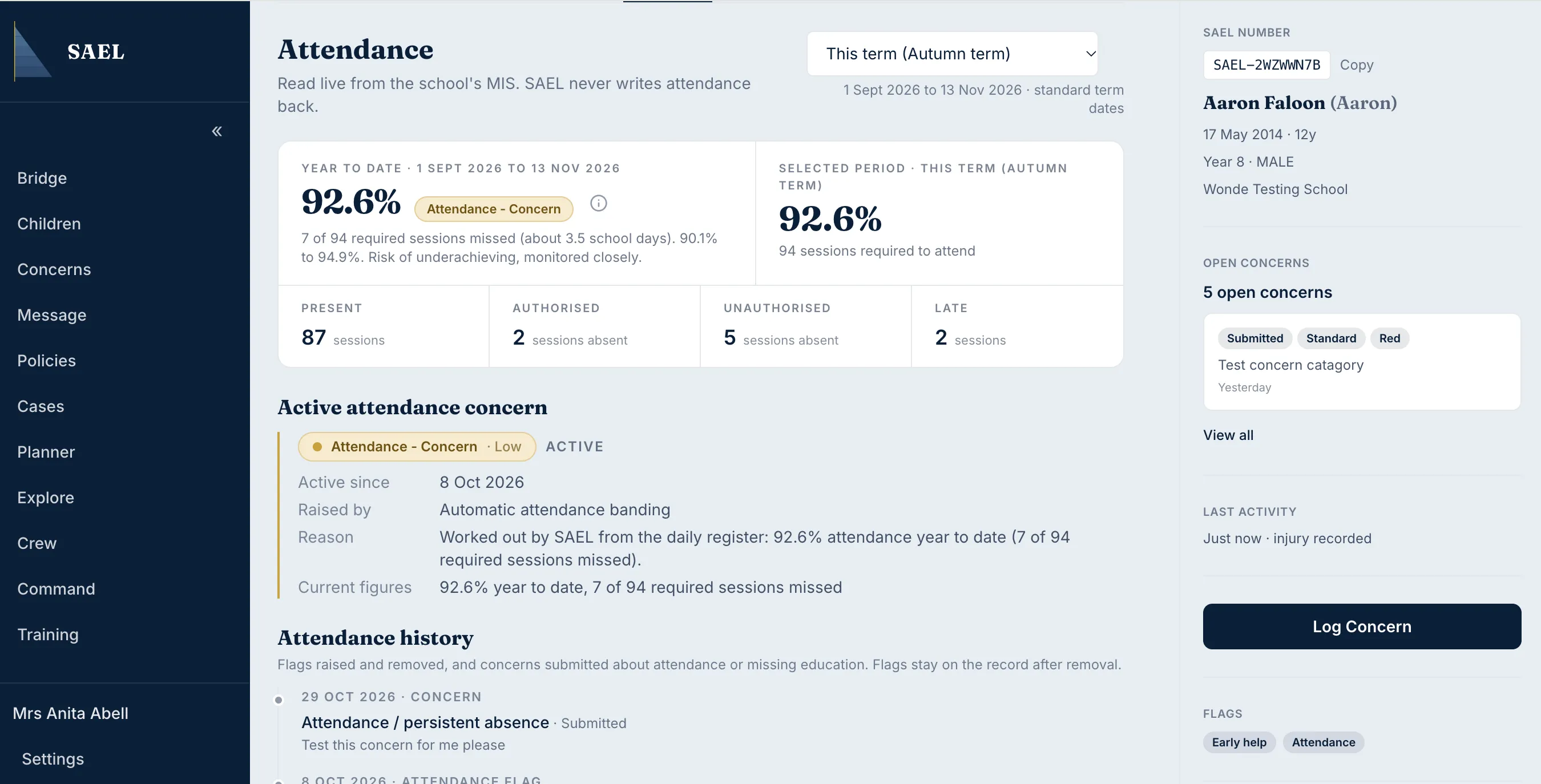
- If attendance flags or levels are shown in the child register, treat them as indicators for review, not as a replacement for the underlying attendance source.
If the tab is absent, check whether the setting’s MIS integration is configured to provide attendance data. Contact the setting administrator or SAEL support if you believe the feed should be active. See Attendance is not showing.
Search Log
Section titled “Search Log”The child profile also has a Search Log tab. Use it to review the search-related information recorded for the child where the tab is available to your role. If you are reviewing a record for safeguarding purposes, consider the chronology, audit information and the underlying source record as well; the Search Log is not a substitute for those records.