
A module or record area is hidden
A setting module has been switched off
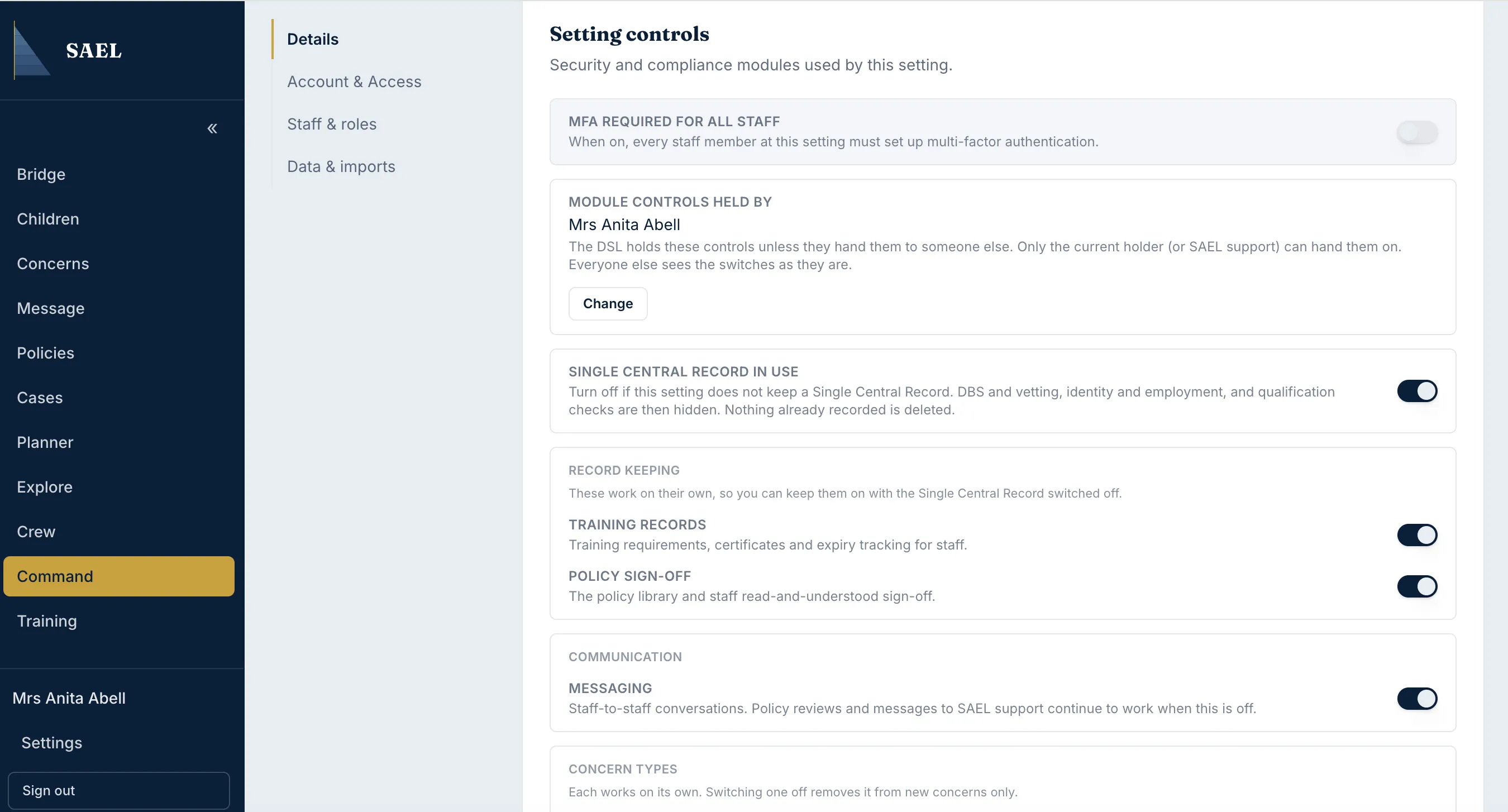
Section titled “A setting module has been switched off”Ask the DSL or current module controller to open Command → Organisation → Details → Setting controls. The switches are separate for SCR, training, policy sign-off, general messaging, staff safeguarding and certain concern subjects. Turning a switch off generally hides the workflow or prevents new use; it does not delete existing records.
Someone else controls the modules
Section titled “Someone else controls the modules”The Module controls held by line identifies the current holder. If the switches are read-only, ask that person to make the change. Only the current holder or SAEL support can hand over the controls. A lock note means SAEL has locked that switch.
A child tab is missing
Section titled “A child tab is missing”Some child record tabs depend on role access or available data. Attendance, for example, appears only when the integration supplies dated attendance and the user has the required safeguarding access. A missing Attendance tab does not mean the child has no attendance history in the originating system.
A record may be archived or outside your access
Section titled “A record may be archived or outside your access”Archived child records are not available to ordinary staff. A DSL-tier user or SAEL administrator can review the archived area. If you need access because of a previous relationship with the child, submit Request archived record access rather than trying to bypass the restriction.
A childminder menu looks shorter
Section titled “A childminder menu looks shorter”Open Settings and enable Show advanced features to display the additional Cases, Planner, Explore, Crew and Command entries. The switch changes the menu presentation only; it does not give the account new permissions.