Restrict a staff member from a child’s record
When to use a staff restriction
Section titled “When to use a staff restriction”A staff restriction prevents one named staff member from viewing one named child’s record. It may be appropriate where there is a conflict of interest or another reason the individual must not access that child’s information. It is not a general replacement for role permissions or concern restriction levels.
Add a restriction
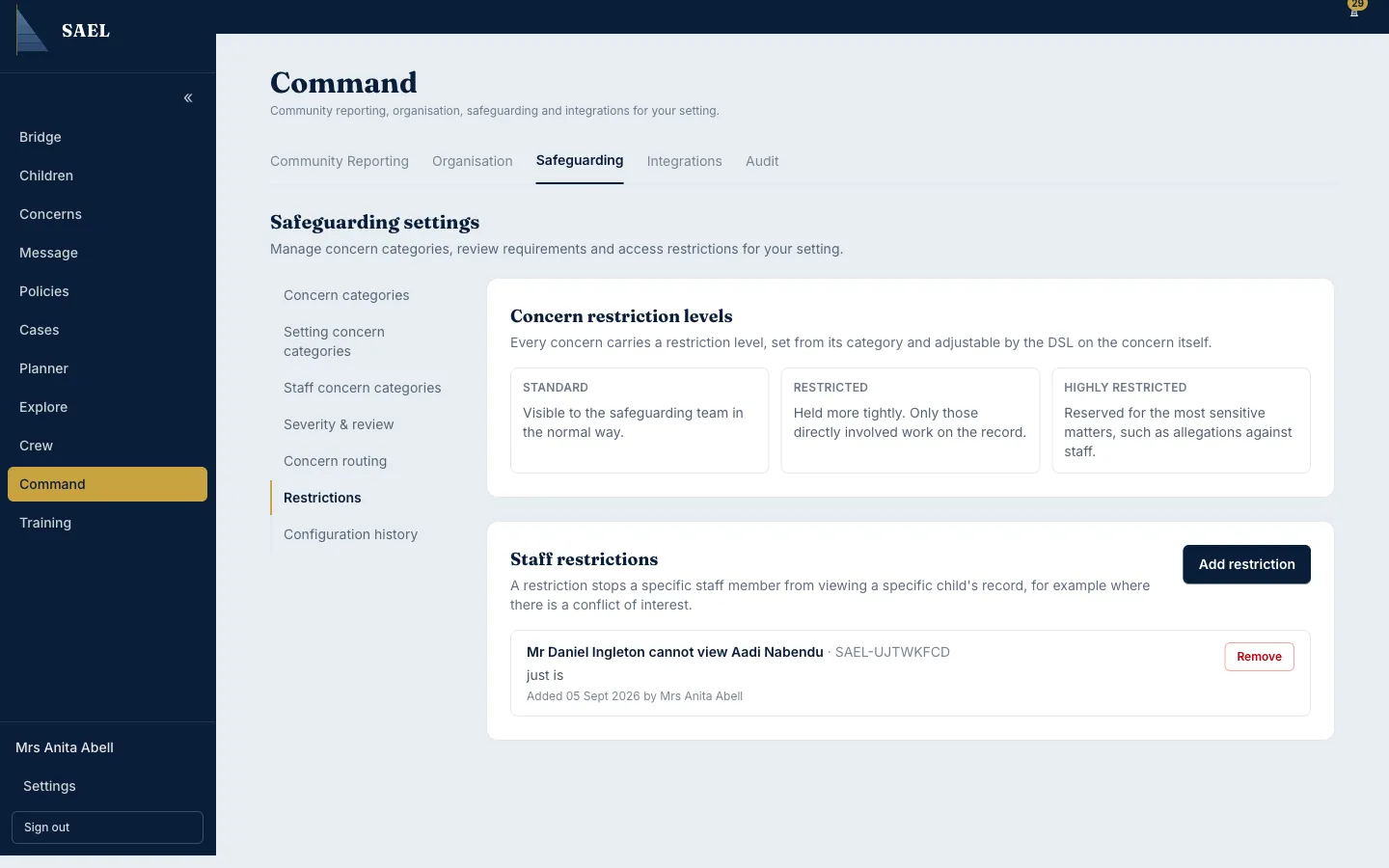
Section titled “Add a restriction”- Open Command → Safeguarding → Restrictions.
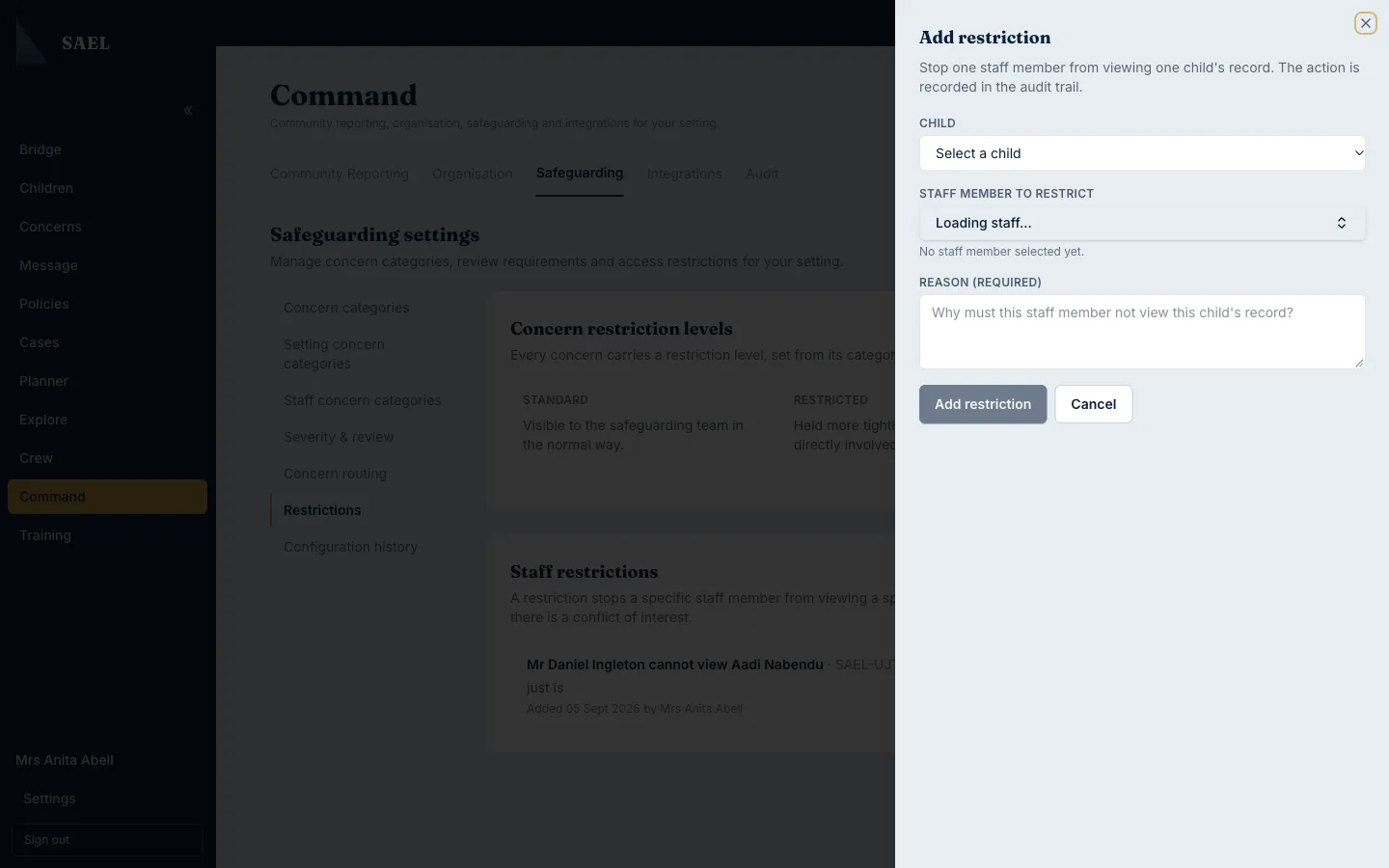
- Find the Staff restrictions panel and select Add restriction.
- In the Child dropdown, select the correct child. The option includes the child’s name and, where available, preferred name and SAEL number.
- In Staff member to restrict, search for and select the correct person.
- Check the selected child and staff member shown under the fields. SAEL will not allow you to restrict your own account.
- In Reason, explain why this staff member must not view this child’s record. This field is required and must contain at least three characters.
- Select Add restriction. SAEL displays a confirmation explaining that the selected person will no longer be able to view the selected child’s record.
- Re-read the named staff member and child. Select Confirm restriction only when both are correct. Select Cancel if you need to correct either selection.
- Wait for the Restriction added confirmation.
- Check the active restriction list. It should show who cannot view which child, the reason, who added it and the date.
Remove a restriction
Section titled “Remove a restriction”- In the active restriction list, find the exact staff member and child pair.
- Select Remove.
- Enter a Removal reason. This is required and must contain at least three characters.
- Select Confirm removal. Use Cancel if you are not sure or the wrong restriction is selected.
- Check that the restriction has disappeared from the active list.
Every addition and removal is recorded in the audit trail. Removing a restriction restores the person’s eligibility to view the record under their normal permissions; it does not grant access if their role otherwise lacks it. Confirm that the conflict or reason for the restriction has genuinely ended before removing it.