
Suspend access or record a staff departure
Open the person’s staff record
Section titled “Open the person’s staff record”- Open Crew → Staff.
- Search for the person by name, then select their staff row.
- Check the name, role and setting in the staff profile header.
- Find the Access & employment panel. Access actions are not shown for your own account.
Choose the right action
Section titled “Choose the right action”| Action | What it does |
|---|---|
| Suspend access | Stops the person signing in. Their records are retained and access can be restored. |
| Restore access | Allows a previously suspended person to sign in again. |
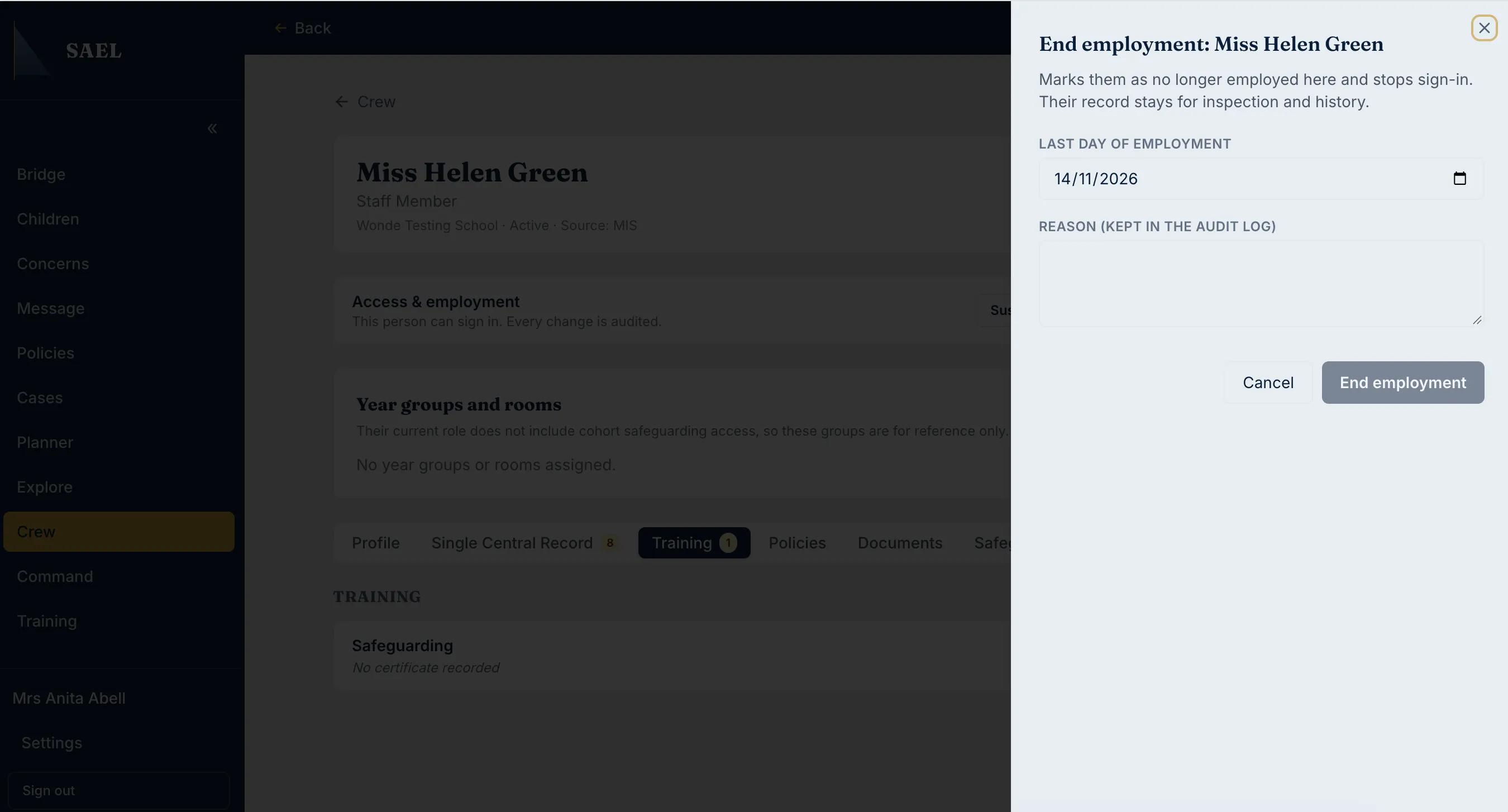
| End employment | Records that the person is no longer employed at the setting and stops sign-in. Their historic record remains. |
| Remove account | Permanently closes the account. The person cannot sign in again; their name remains on historic concerns and records. |
For an ordinary temporary absence, suspension may be more appropriate than ending employment. For a genuine departure, use End employment and enter the correct last day. Use Remove account only when the permanent closure is intended.
Complete the action
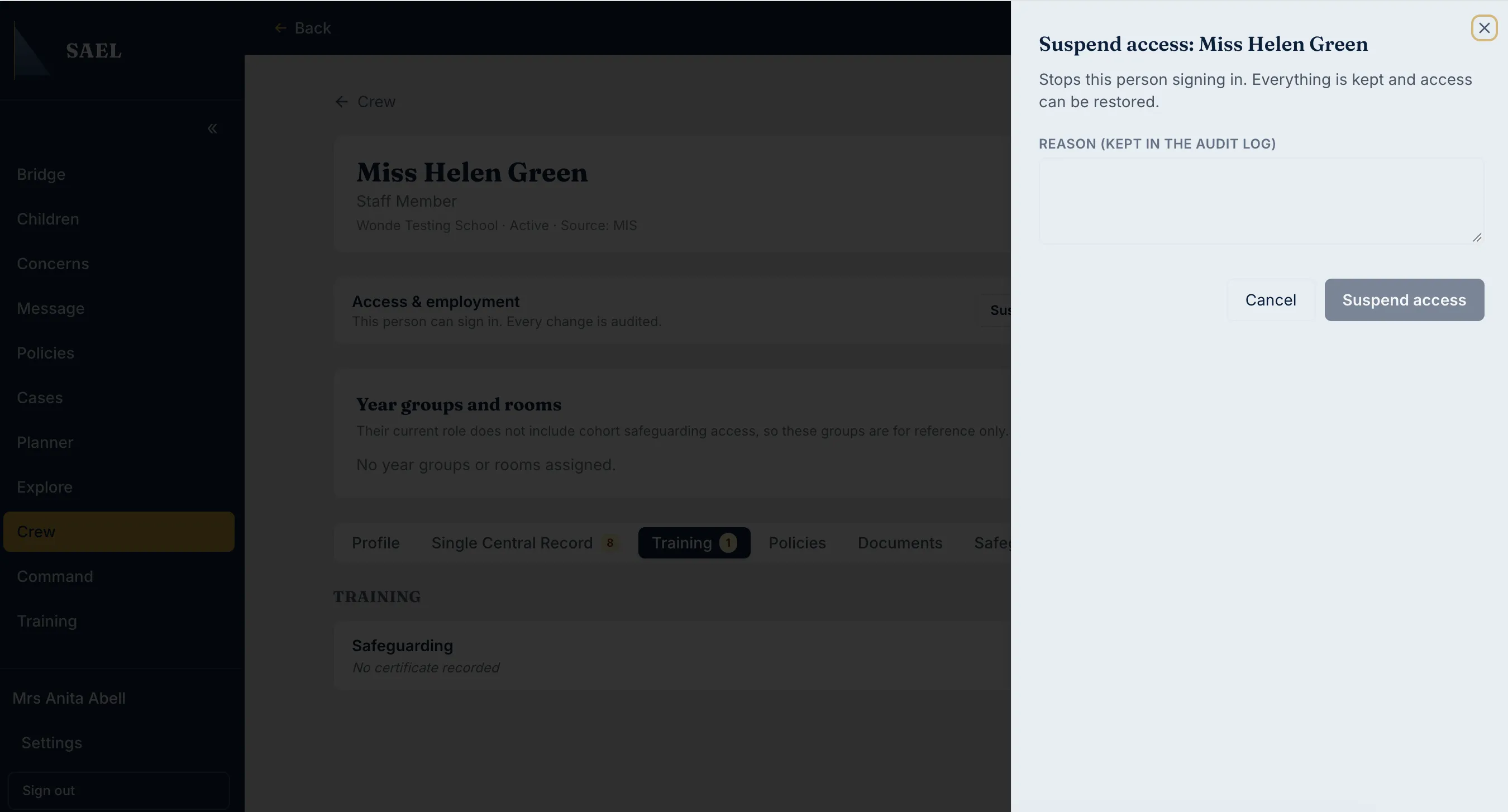
Section titled “Complete the action”- Select the action button. For a compact access control, use the Manage access dropdown and choose the required action.
- Read the explanation shown in the side panel.
For Suspend access:
For End employment:
For Remove account:
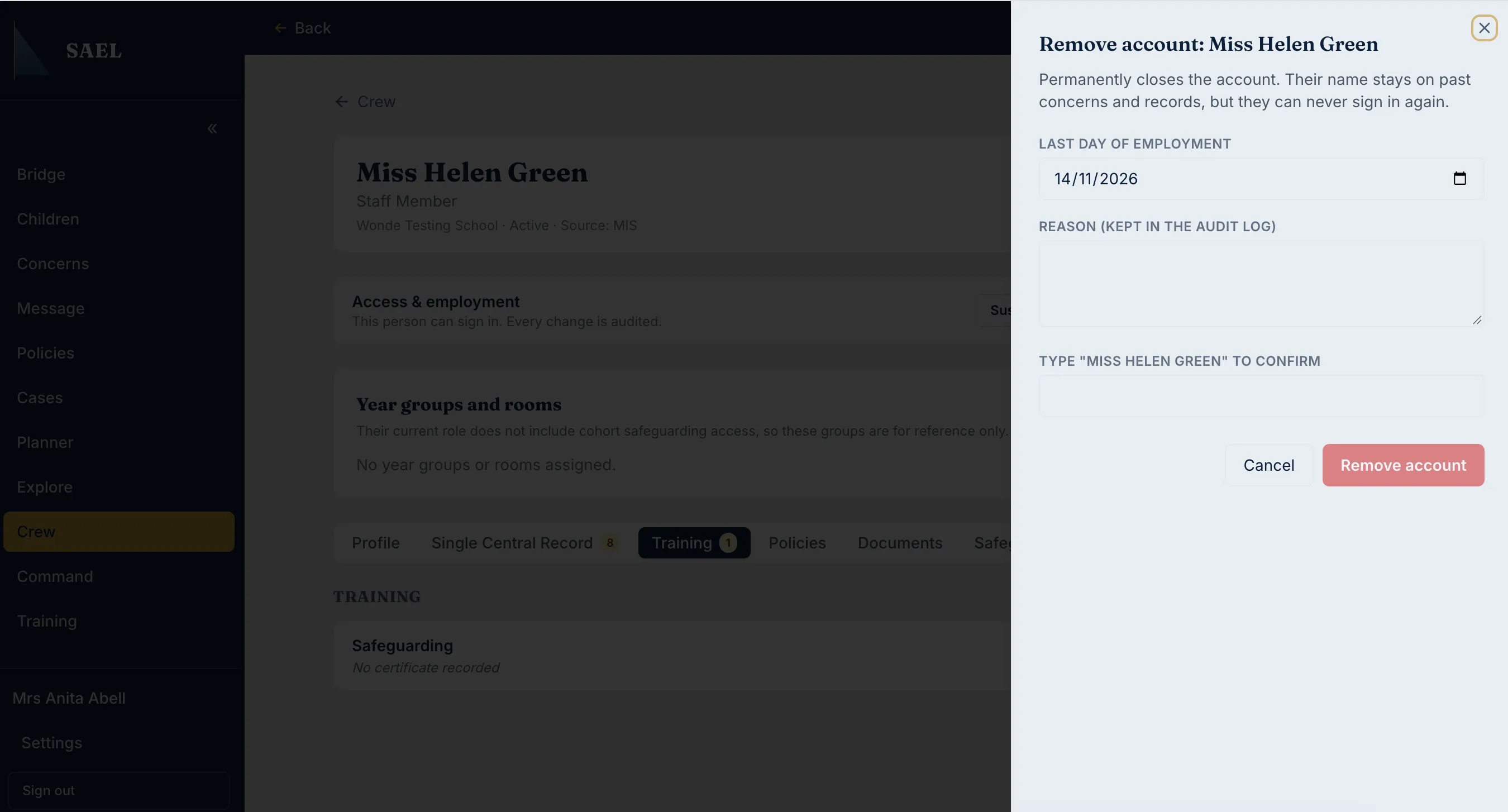
- For End employment or Remove account, enter the Last day of employment.
- Enter a clear Reason. The reason is retained in the audit log and must contain more than two characters.
- For Remove account, type the person’s full name exactly as displayed into the confirmation field.
- Check the selected action, date and reason.
- Select the action button in the panel to submit it.
- Wait for the success message. Recheck the person’s access status.
Find former or suspended staff later
Section titled “Find former or suspended staff later”On the Crew staff page, expand Former and suspended staff. It shows people marked as removed, left or suspended and, where recorded, their employment end date. Select a person’s name to reopen their historical staff record.
All access changes are audited. Removing an account is not the same as deleting historic safeguarding references to that person.