
Why a menu item or button is missing
A missing menu item usually means the relevant feature is not available to the current user or setting, not that SAEL has deleted the underlying information.
Check your role
Section titled “Check your role”- Open Settings and check the role shown for your account, where available.
- Compare the task you are trying to perform with your actual responsibilities.
- Ask the DSL or setting administrator to review your standard role and any custom setting role under Command → Organisation → Staff & roles → Roles & permissions.
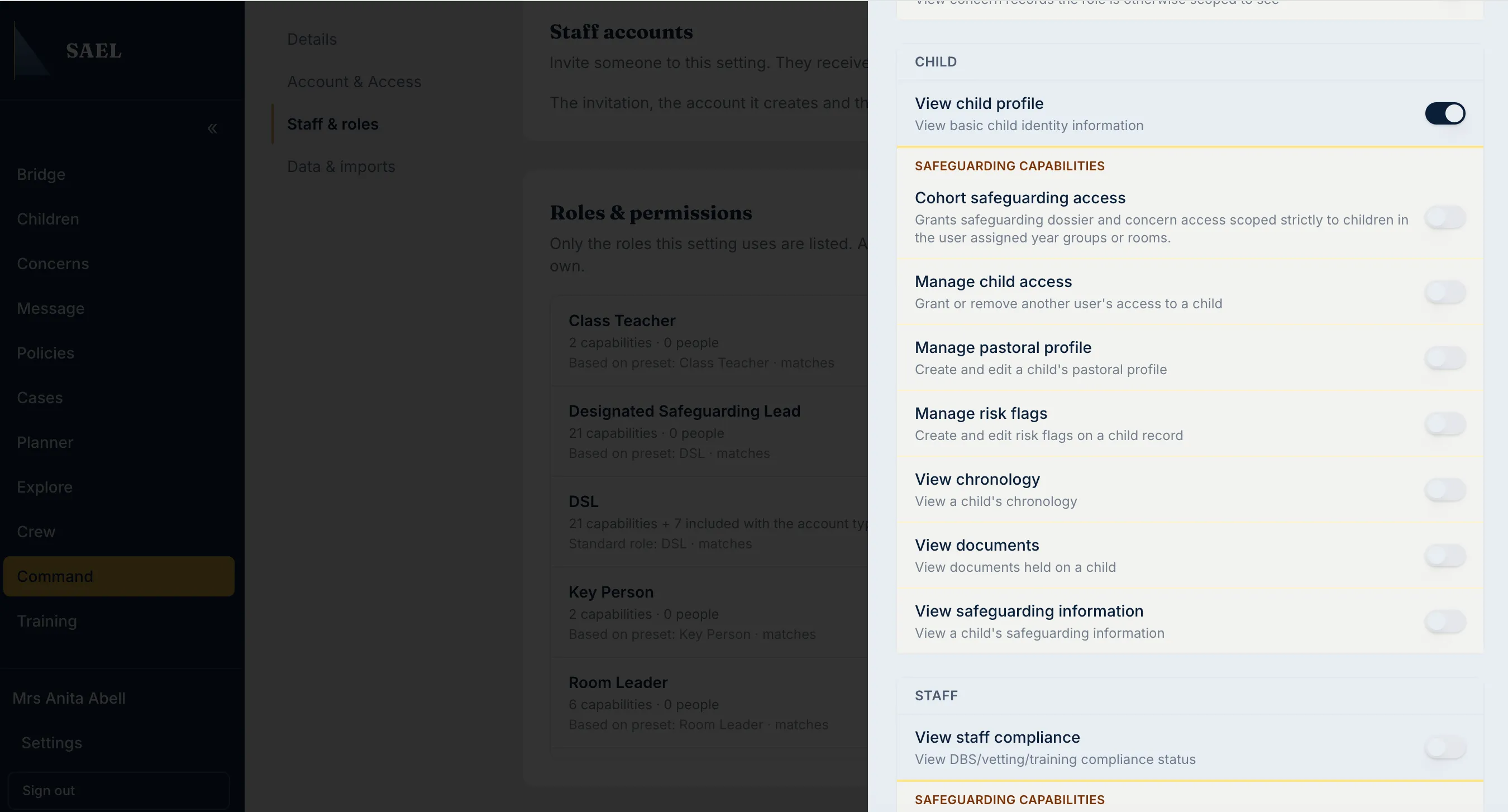
- If the capability is intended to be granted through a custom role, ask the administrator to review the role’s capability switches and save reason. A menu change may require you to refresh or sign in again before it is visible.
Check whether the module is enabled
Section titled “Check whether the module is enabled”For setting-wide modules, the DSL/module controller should check Command → Organisation → Details → Setting controls. The relevant switch may be off or locked by SAEL. Only the current module controller or SAEL support can change the controlled switches.
Check the screen and device
Section titled “Check the screen and device”Some pages use tabs or nested sub-tabs. On a narrow screen, open the mobile menu or horizontal tab navigation and scroll across the available tabs. Some record details are grouped in the Child Info panel on mobile. Childminder accounts can also use Settings → Show advanced features to display additional menu entries; this switch does not grant permissions.
Check conditional availability
Section titled “Check conditional availability”Examples:
- Attendance appears only where the integration supplies dated attendance and the user has the required safeguarding access.
- Staff safeguarding depends on the module being enabled and the user’s capability.
- Archived child records are restricted to DSL-tier users and SAEL administrators.
- The SCR export appears only when SCR is active and the user has access.
- Some concern types appear only when SAEL has provisioned and enabled them for the setting.
If the administrator confirms that the role, module and setting are correct but the control is still missing, raise a support ticket. Include the screen, the task attempted and the exact control you expected to see.