
Review and export the setting audit trail
Open Audit
Section titled “Open Audit”- Open Command → Audit.
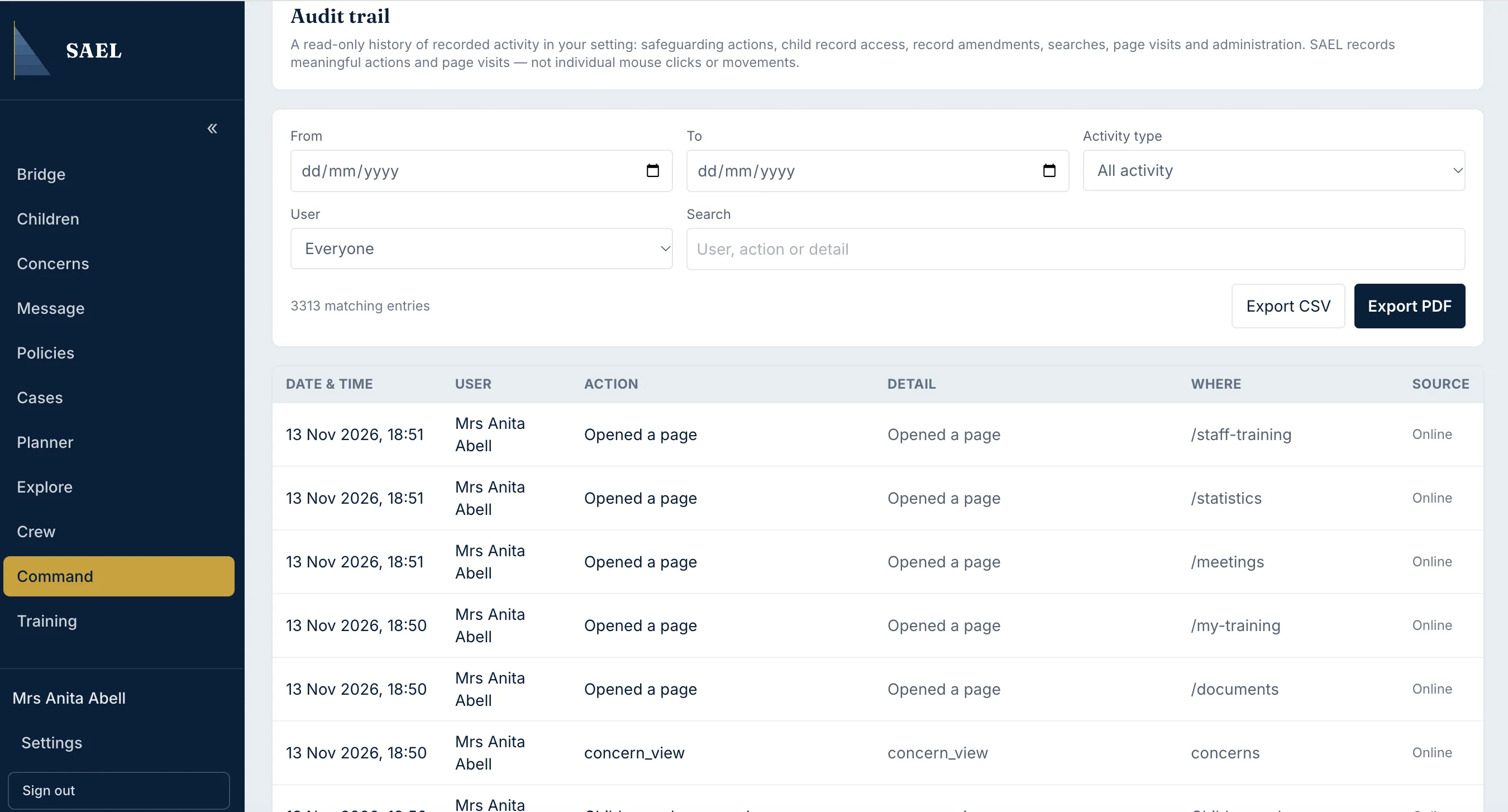
- Review the activity list. Audit access is limited to DSL-tier users, SAEL administrators and users whose custom role includes the audit capability.
- Use the available filters to narrow by date range, event type, actor or search term.
- Select an event row to inspect its detail. Depending on the event, details can show who performed it, what happened, where in SAEL it occurred and relevant change/context information.
- Use the CSV or PDF export control when you need an export for an authorised review.
- Save the export to an approved secure location and check that the date range and filters match the review you intended.
The audit trail is not editable. It records activity; it does not grant access to the underlying record. A user who can see an audit event may still need separate permission to open the child, concern or document referred to by that event.
The Safeguarding → Configuration history area is narrower: it shows changes to safeguarding configuration such as categories, severity targets, routing and restrictions. Use the general Audit area for broader setting activity.