
Close, finalise or reopen a concern
Closing a concern
Section titled “Closing a concern”- Open the concern and review its current status and outstanding actions.
- Make sure the record explains what happened, what was considered and what work has been completed or handed over.
- Select Close.
- Read the confirmation panel asking whether to close the concern.
- Select the confirmation action to complete the closure, or cancel if the record is not ready.
Closing is a status change; it should not be used as a substitute for recording the outcome.
Finalising a concern
Section titled “Finalising a concern”Finalisation is a separate action from closing and may have additional requirements depending on the concern. If SAEL opens a Finalise this concern? panel, review it carefully and enter the finalisation summary where requested. Some workflows may require a LADO reference or a second sign-off. When a LADO reference is requested, enter the actual reference number and save it. When dual sign-off is required, a second authorised person must provide the other sign-off; the same person cannot supply both sign-offs.
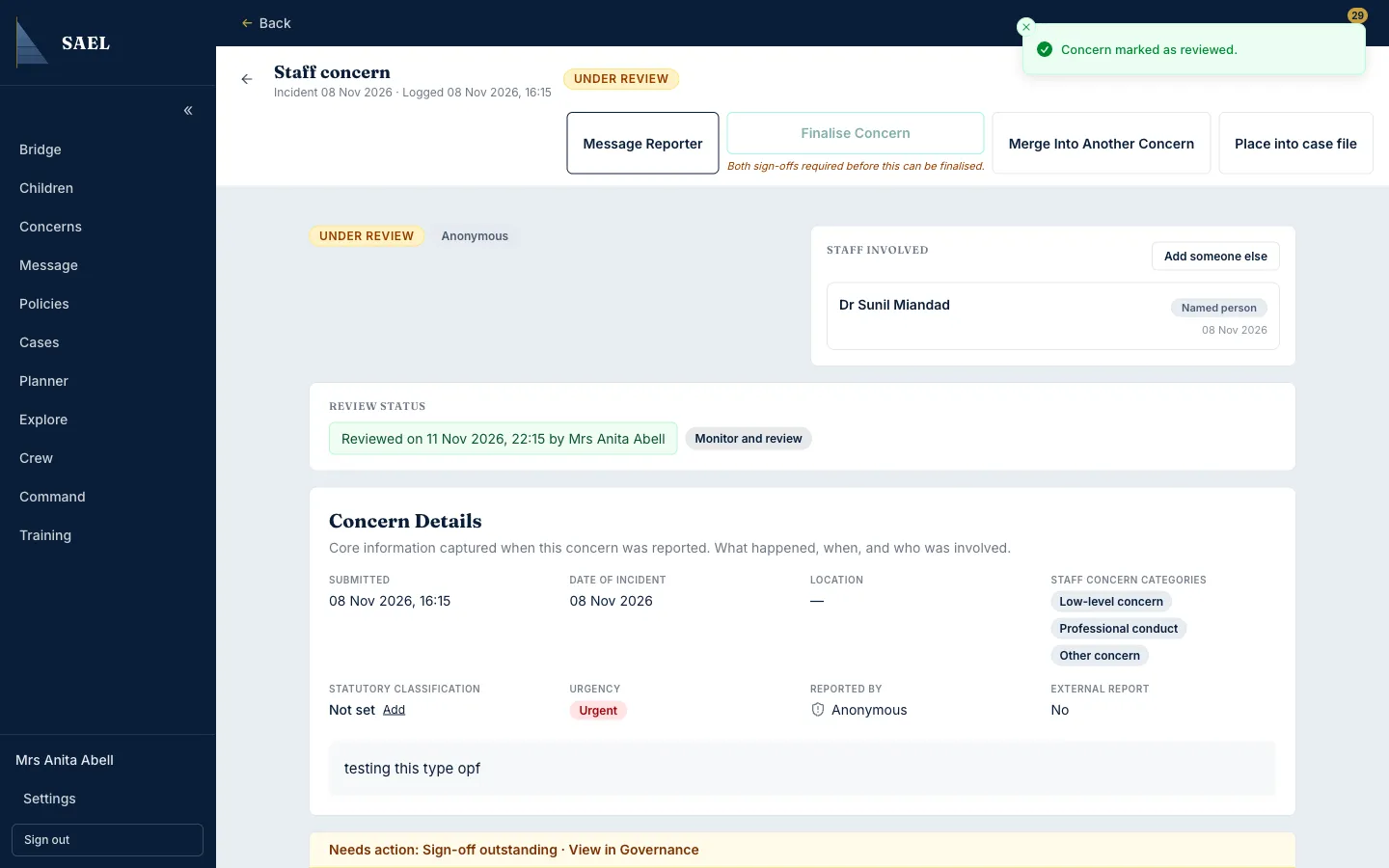
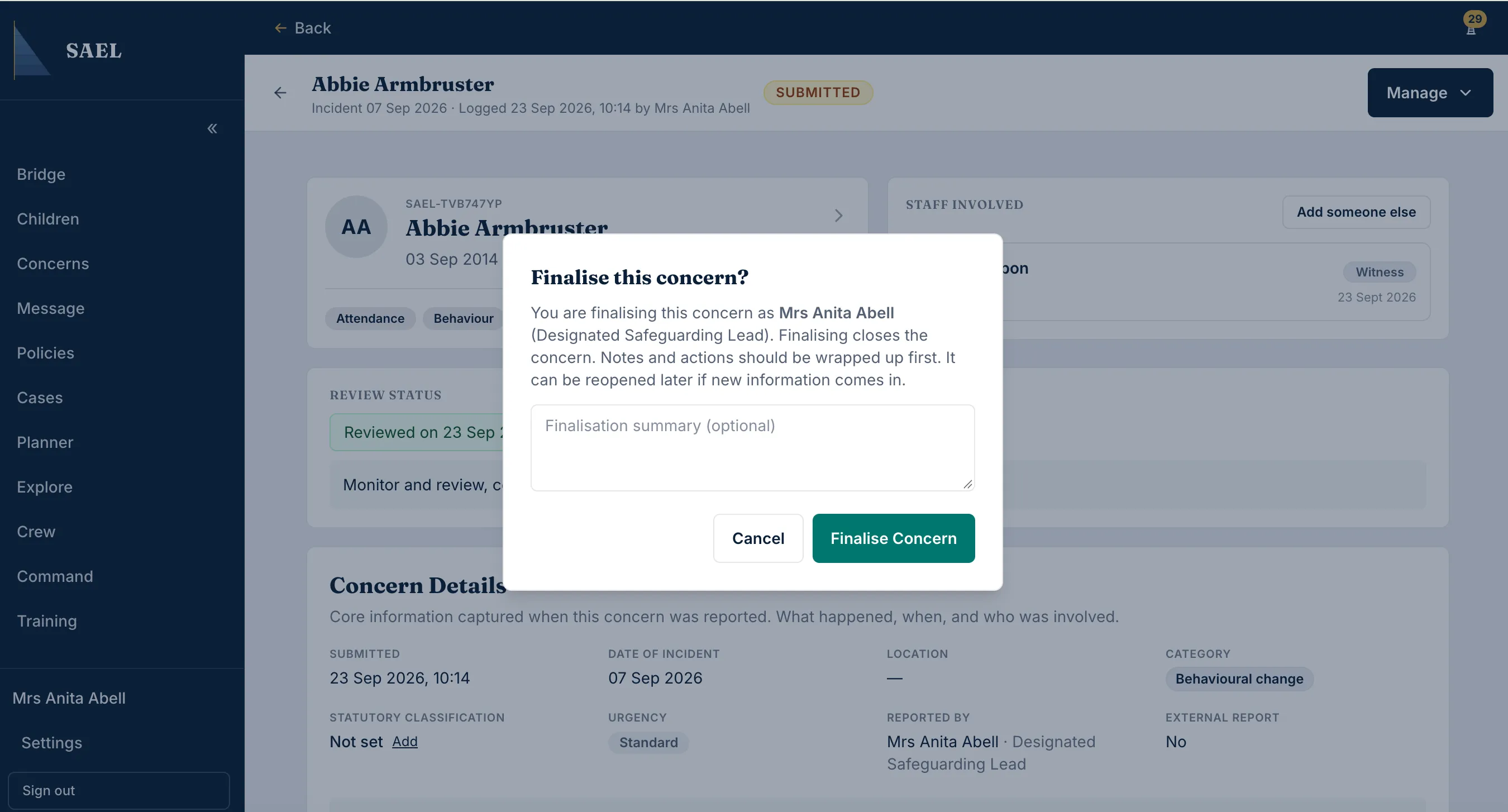
Do not invent a reference or ask another user to sign off work they have not reviewed.
Reopening a concern
Section titled “Reopening a concern”- Open the closed concern.
- Select Reopen where the control is available.
- Read the Reopen this concern? confirmation.
- Confirm only when further work is genuinely required and the setting’s process permits reopening.
- Check the new status and record the reason or new information in the concern history.
Other status actions
Section titled “Other status actions”The concern page may also offer actions such as Merge or Give Access. Use these only when appropriate: merging links one concern into another; giving access is an access-control decision, not a way to send a copy of the record. Review the target record or recipient carefully before confirming.