
Request access to an archived child record
When to use the request
Section titled “When to use the request”Use Request archived record access when you need SAEL to review access to a child record from a previous relationship with the child or setting. This is a request for review, not an immediate unlock.
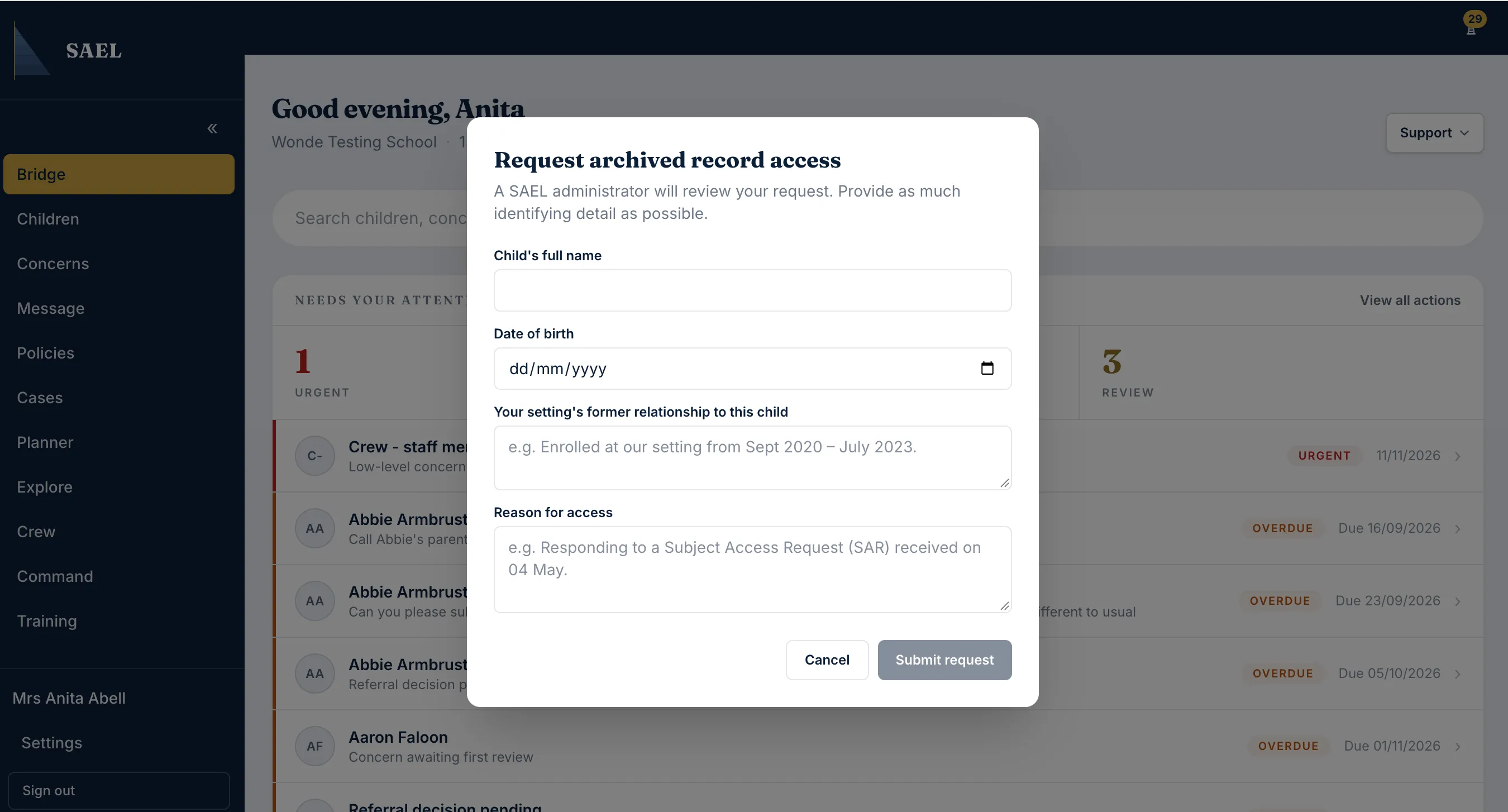
Complete the request
Section titled “Complete the request”- Sign in to SAEL and open the Support menu.
- Select Request archived record access.
- Enter the child’s Full name.
- Enter the child’s Date of birth.
- In the former-relationship field, explain your previous connection to the child or setting. This explanation must be at least 10 characters long.
- In the reason field, explain why access is needed now. This must also be at least 10 characters long.
Only include what SAEL needs to identify the child and locate the archived profile — the child’s name, date of birth and your connection to them. Do not include safeguarding details, concern narrative or any other sensitive information in these fields; this request is for retrieving the profile, not for recording or discussing its contents.
- Check the details carefully, especially the child’s identity and date of birth.
- Submit the request.
- Wait for the SAEL administrator review. Check Messages for the notification and any follow-up.
Do not submit repeated requests simply because access is not immediate. If SAEL asks for more information, reply through the support conversation. Access remains subject to review and the appropriate authority to view the record.