
Log a concern about a member of staff
Start a staff concern
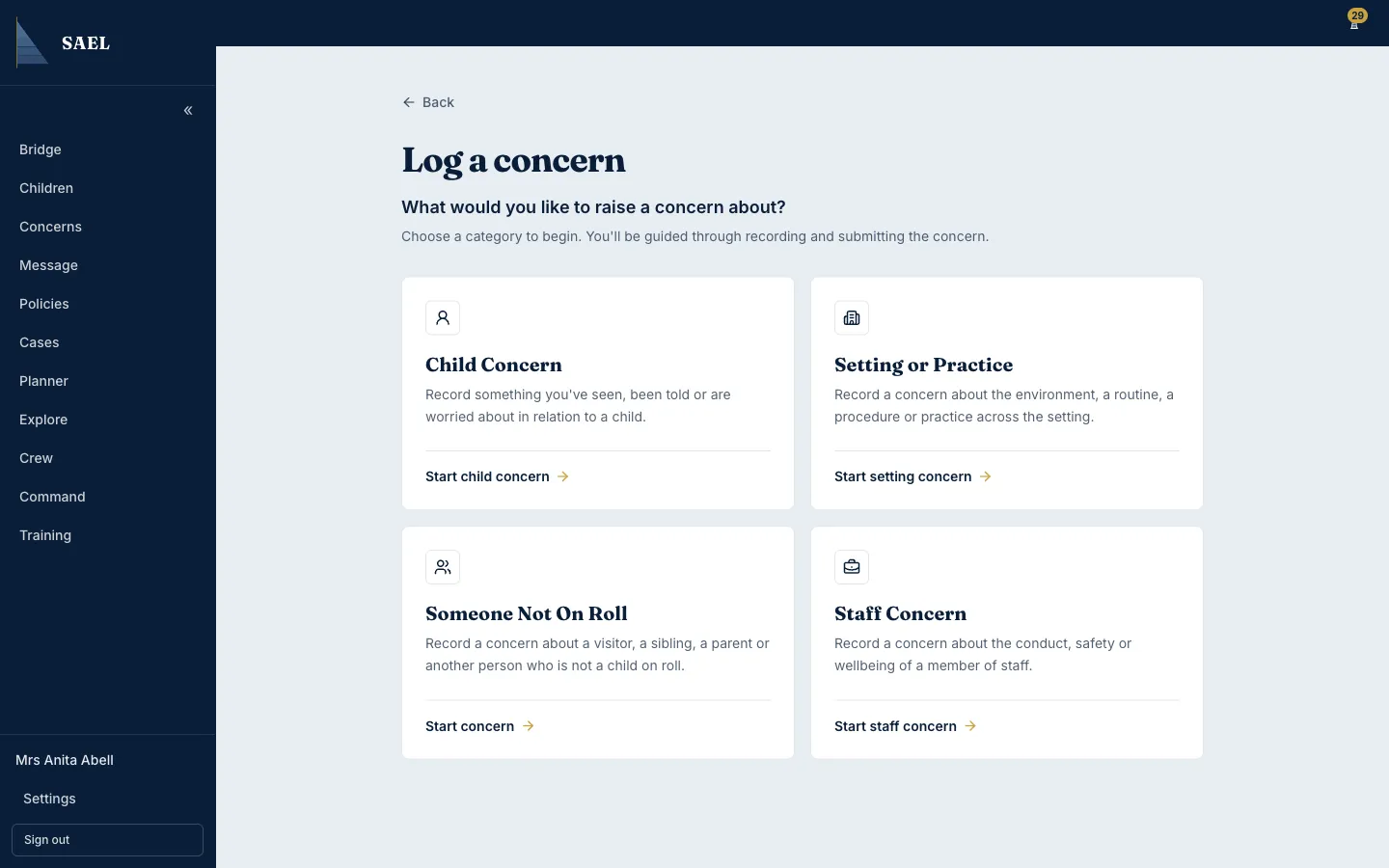
Section titled “Start a staff concern”- Select Log a Concern.
- Choose Staff Concern from the concern-type choices.
- Select the staff member who is the subject of the concern using the staff picker. Check the person’s identity carefully.
- Choose the staff-concern category available to your setting.
- Enter a clear account of the concern. The description must be at least 20 characters. Keep the wording factual and distinguish what you observed from what somebody reported.
- Enter the relevant date and, where known, time and location.
- Complete the other people/involvement and urgency fields shown by the staff-concern form.
- Review the completed information before submitting. Check that the subject is the staff member concerned, not the person reporting it.
- Submit the concern and wait for the confirmation.
If you cannot select a staff member
Section titled “If you cannot select a staff member”The setting may have the staff-safeguarding module switched off, or your account may not have permission to use the staff-concern workflow. A custom restriction may also affect which staff can be selected. Ask the DSL or the setting’s module controller to check Command → Organisation → Details → Setting controls and your role access.
Staff concerns are handled differently from child concerns. Keep access limited to the people who need to know, follow your setting’s allegations and escalation procedures, and do not use ordinary staff-to-staff messages to discuss sensitive details.