
Complete Single Central Record checks
Open the vetting section
Section titled “Open the vetting section”- Open Crew → Staff.
- Search for the staff member and select their row.
- Select the Vetting or Single Central Record tab (the label can vary by regional configuration).
- Review the current status of each check before adding evidence.
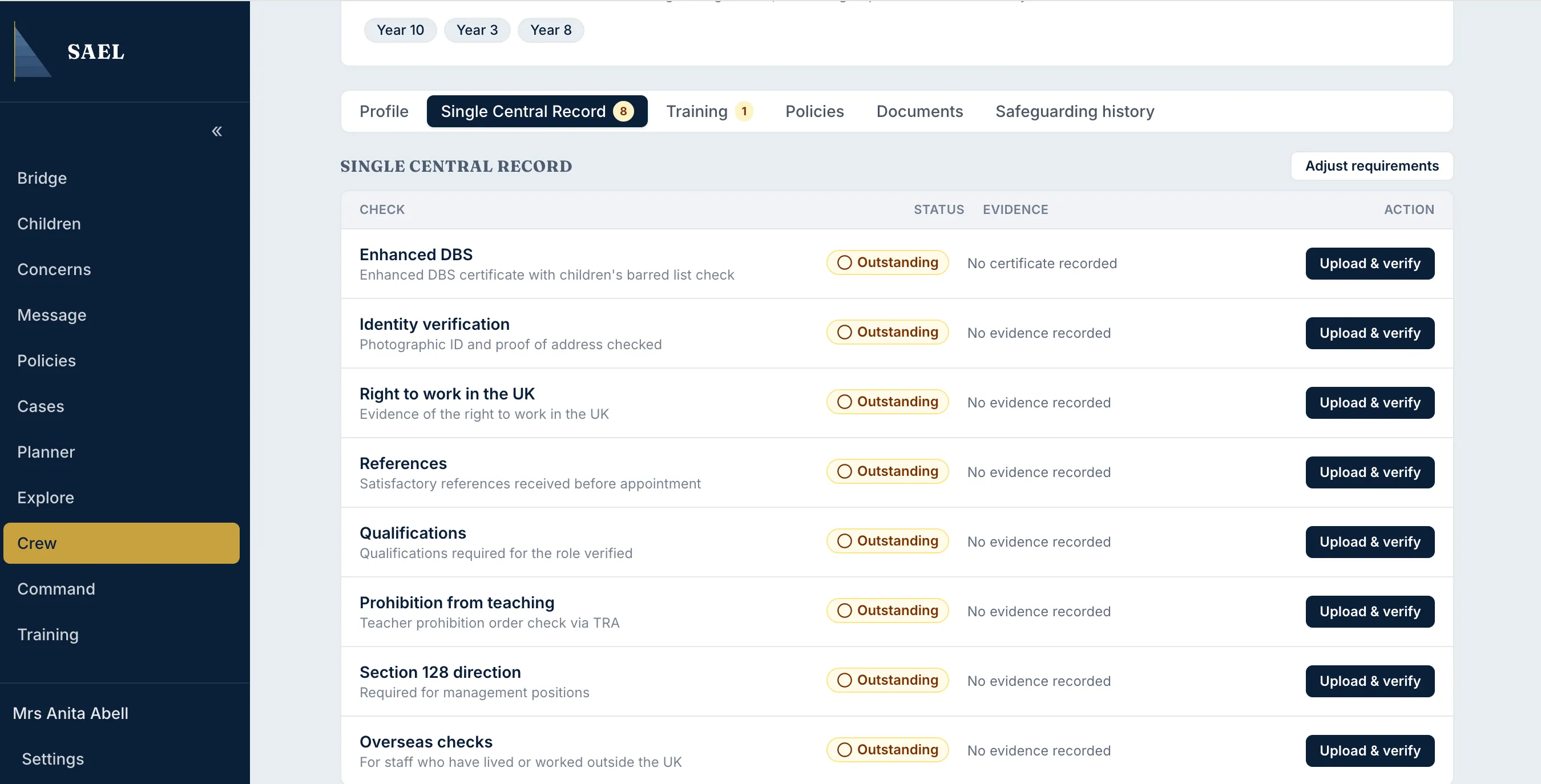
For a UK setting, the record can include identity verification, right to work, prohibition from teaching, references, Section 128, qualifications and overseas checks, alongside the Enhanced DBS record. Which checks apply depends on the role and the setting’s requirements.
Record a check that applies
Section titled “Record a check that applies”- Find the relevant check row, such as Identity verification or Right to work in the UK.
- Select the action to add or review its evidence.
- Upload the supporting document when prompted.
- Open the uploaded document using Open document. SAEL requires the reviewer to open the evidence before the verification action becomes available.
- Check that the evidence supports the check being recorded and belongs to the correct staff member.
- Enter the Date checked.
- Select Confirm verification.
- Check that the status changes to verified/up to date and that the verification date is shown.
Mark a check not applicable
Section titled “Mark a check not applicable”For checks where SAEL provides This check does not apply to this person, use it only when the check genuinely does not apply to that person’s role or circumstances.
- Select This check does not apply to this person.
- Enter the reason in the required text field.
- Select Mark not applicable.
- Check the resulting status and the saved reason.
Some checks have built-in applicability rules. Do not mark a check not applicable simply because evidence is missing or takes time to obtain. An outstanding check and a legitimately non-applicable check are different states.
Review the overall record
Section titled “Review the overall record”Return to Overview to review the completion count and outstanding items. The overview identifies gaps; it does not decide whether a person may lawfully work or replace your organisation’s safer recruitment process.