
Review safeguarding configuration history
Open Configuration history
Section titled “Open Configuration history”- Open Command → Safeguarding.
- Select Configuration history.
- Review the newest entries first. The history is read-only; users cannot edit or remove entries from this panel.
- Use the area filters to narrow the history to Categories, Severity targets, Routing or Restrictions.
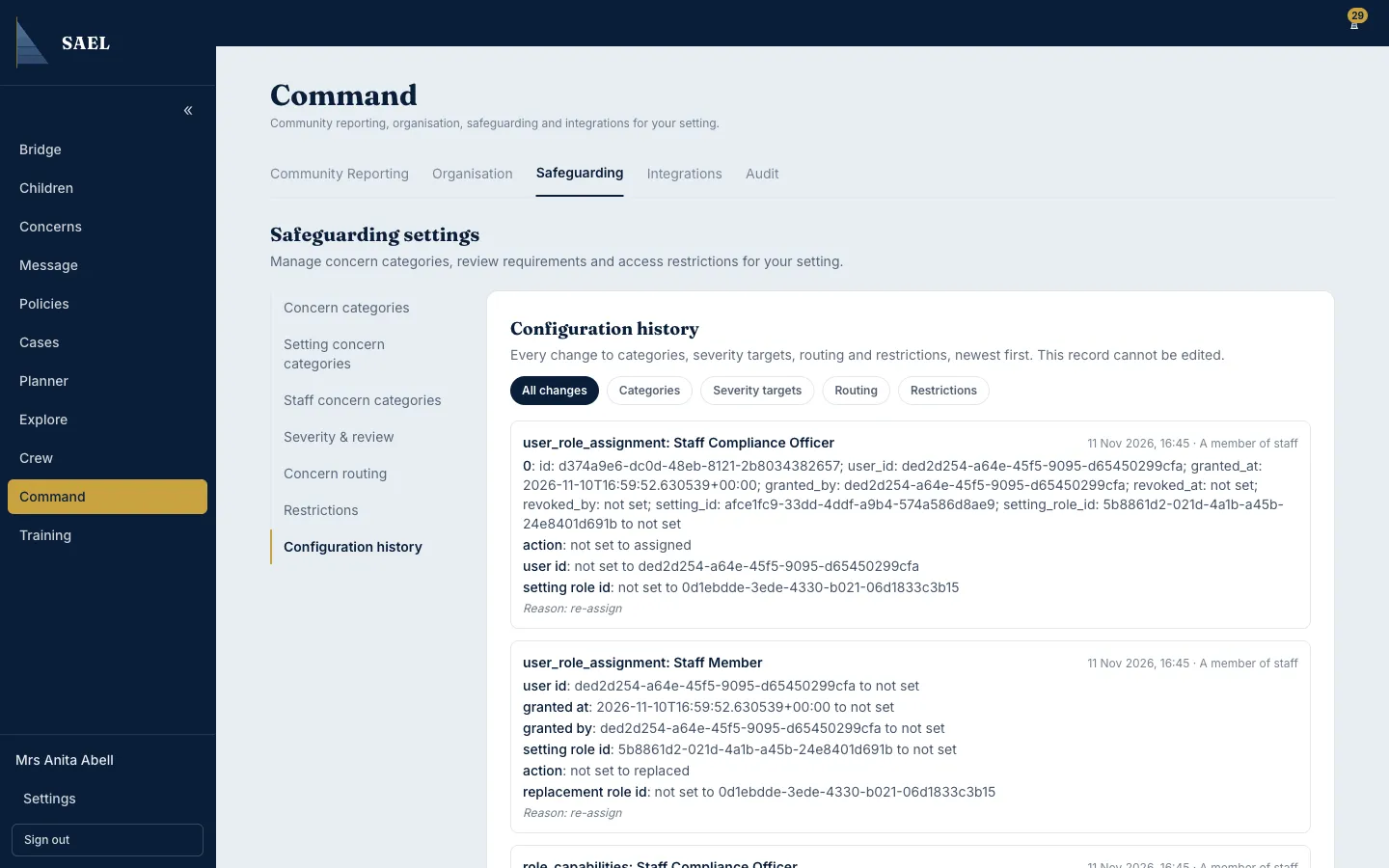
- Open an entry to read the detail. SAEL can show the date and time, the person who made the change, the affected configuration area, and the fields that changed from one value to another.
- Read the recorded Reason where one was supplied.
Use the history to answer questions such as who changed a category’s default severity, when a review target was updated, or which routing reviewer was changed. It is not a live concern queue and does not show the content of child records.
Where a configuration change was unexpected, compare the old and new values and speak to the person who made it. If the change appears to be unauthorised or you cannot interpret it, raise a support ticket and preserve the relevant details.