
Review staff safeguarding concerns
Open the staff safeguarding queue
Section titled “Open the staff safeguarding queue”- Open Crew from the main menu.
- Select the staff safeguarding tab. It is available only when the setting has enabled staff safeguarding and your account has the relevant permission.
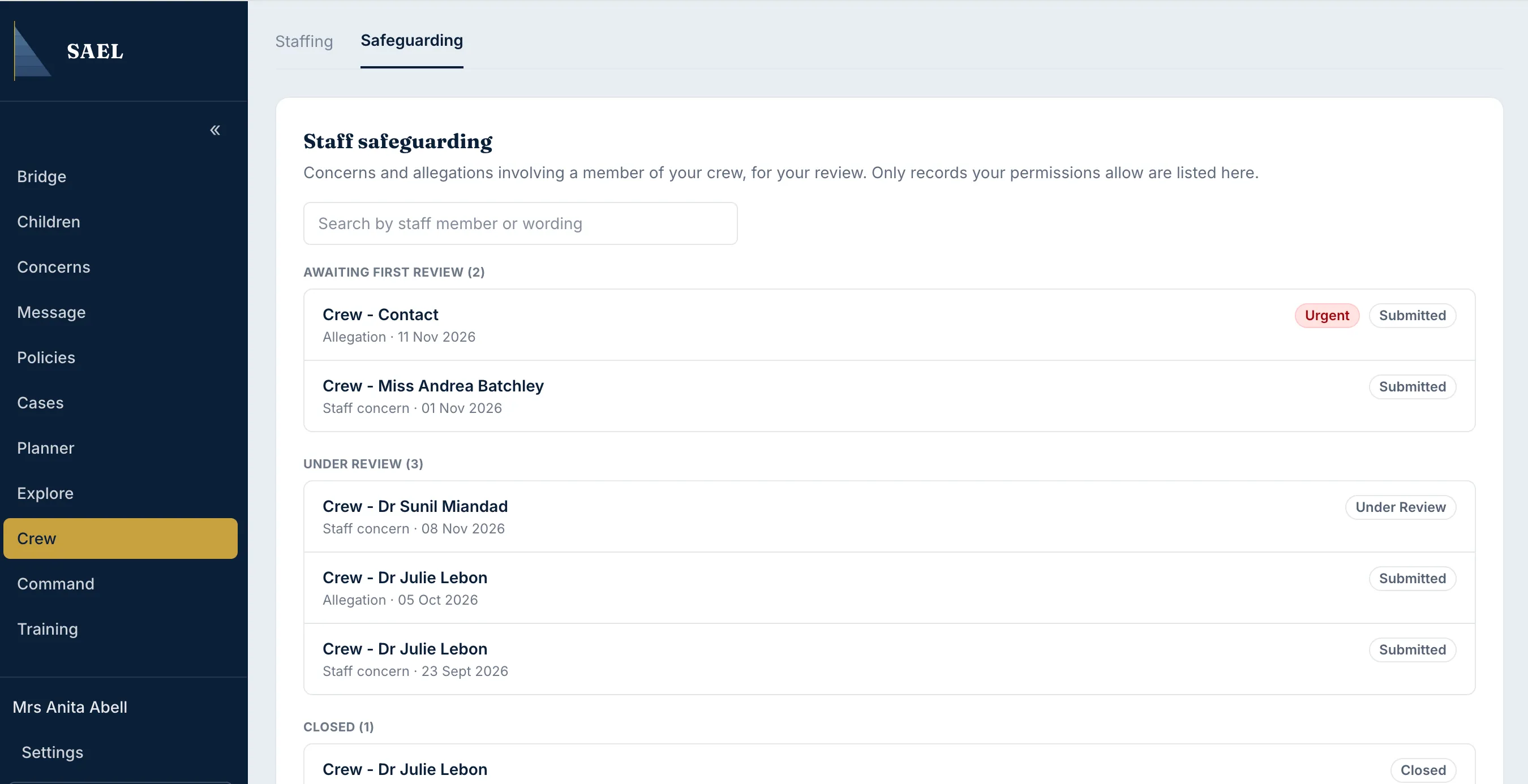
- Review the three groups on the page:
- Awaiting first review contains records with no first-review date.
- Under review contains records that have a first-review date and are not closed.
- Closed contains closed records.
- Use Search by staff member or wording to find a staff member or search text from the concern description.
- Check the result label: Allegation or Staff concern. An urgent priority is marked Urgent.
- Select the result row to open its underlying concern record.
Continue the work in the concern record
Section titled “Continue the work in the concern record”The staff safeguarding list is an overview of existing concern records. It does not create a second staff case record and it does not replace the concern’s review workflow. Once you open a result, use the concern record’s review, notes, actions, governance and status controls according to your permissions.
If the concern is awaiting first review, complete the initial review using the concern record. If it is under review, check the latest notes, actions and outstanding decisions. If it is closed, read the record history before deciding whether a further action is needed.
If you cannot see the list
Section titled “If you cannot see the list”Check that Staff safeguarding is enabled under Command → Organisation → Details → Setting controls and that your role includes the relevant staff safeguarding access (for a custom role, check that the view staff safeguarding records permission is included). If the module is off, existing records are retained; the page explains that it is switched off rather than showing an empty queue.