
Understand roles, permissions and access
Three layers affect what you can see
Section titled “Three layers affect what you can see”SAEL access is not controlled by a single switch. It is useful to separate three things:
- Your account role is selected when your account is invited. Examples include Staff Member, Deputy DSL, DSL, Headteacher and Staff Administrator.
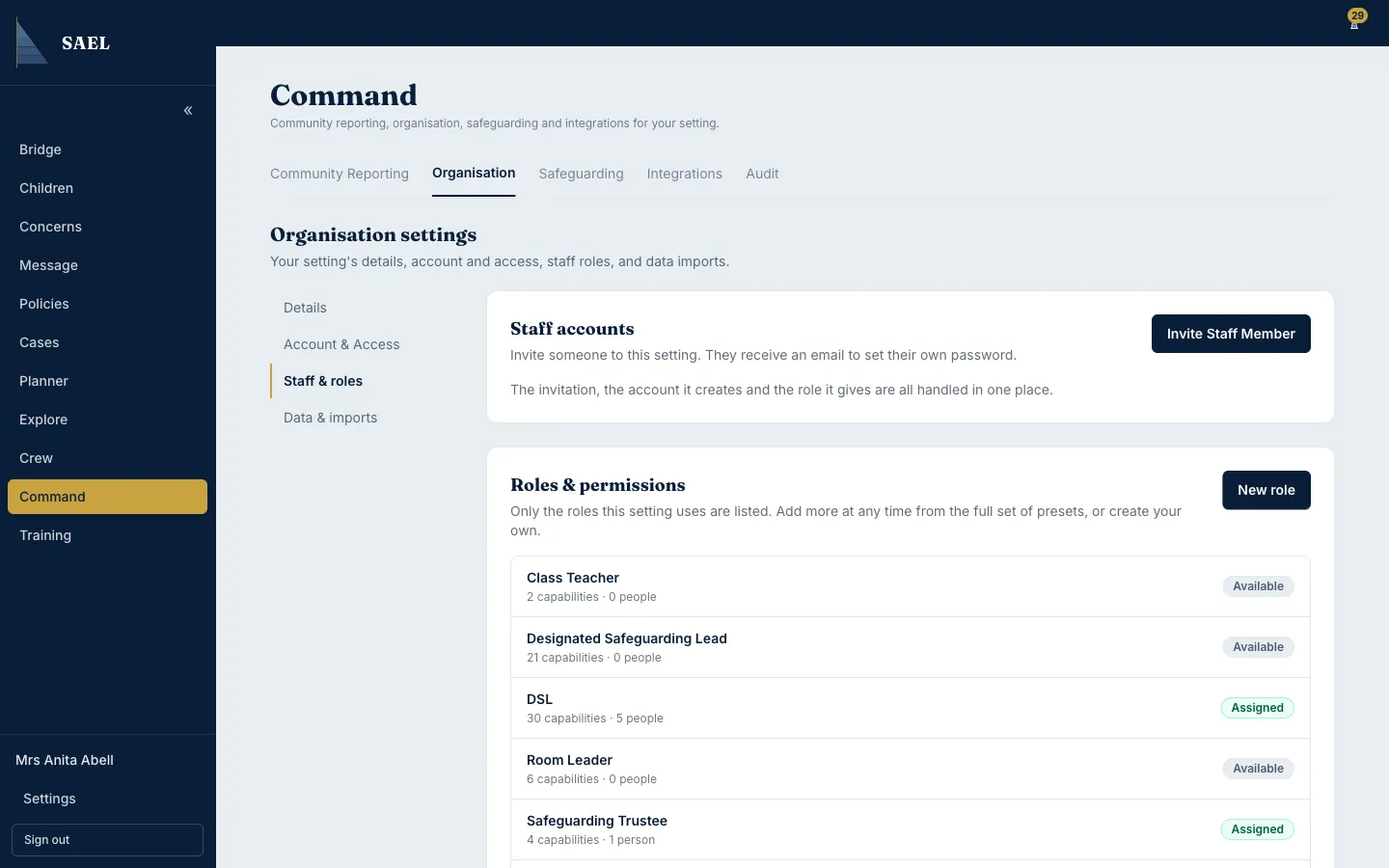
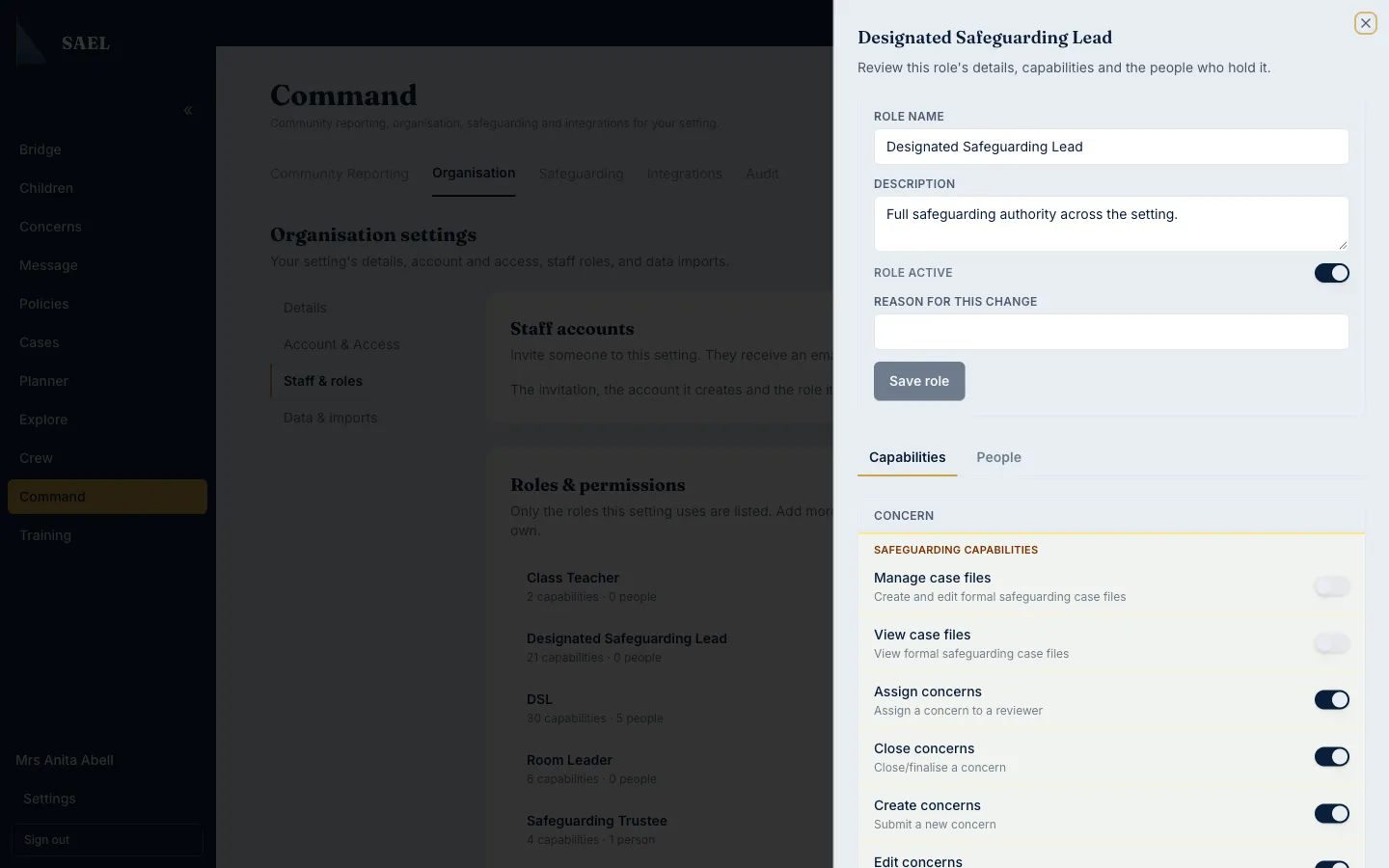
- A custom setting role may be assigned later under Command → Organisation → Staff & roles. It grants a defined set of capabilities for that setting.
- Record-level access controls can further limit access to particular safeguarding information. A role that normally opens a child profile does not automatically override a restriction on an individual record.
The server checks permissions when you open protected information or perform a protected action. Seeing a link does not mean every record behind it is accessible.
What the standard account roles mean
Section titled “What the standard account roles mean”The standard setting invitation form offers these starting roles:
- Staff Member: a frontline account intended for staff-safe information and raising concerns.
- Deputy DSL: day-to-day safeguarding triage and casework support.
- DSL: the setting’s full safeguarding authority in SAEL.
- Headteacher: setting leadership and safeguarding oversight.
- Staff Administrator: staff administration and compliance-related work.
Some settings may see regional terminology. For example, Canadian settings use Authorised Professional terminology for the safeguarding lead. The underlying access role remains regionally mapped.
Custom roles are separate
Section titled “Custom roles are separate”A custom role is created in Command → Organisation → Staff & roles → Roles & permissions. It can be based on a preset or built from individual capabilities. A user must already have an account in the setting before a custom role can be assigned to them.
A custom role does not make someone a DSL, and it should not be used as a shortcut to confer statutory responsibility. Give only the access the person’s actual job requires.
Why you may be blocked
Section titled “Why you may be blocked”You may be unable to open a page because your account role does not include it, the custom capability is not assigned, the setting module is off, your account is inactive, or the individual record is restricted. If you believe you need access, ask your setting’s DSL or account administrator to check the relevant layer. Do not share another person’s login to work around an access rule.