
Find your way around SAEL
Start at the dashboard
Section titled “Start at the dashboard”The dashboard is the main working page for safeguarding leads. It brings together the setting’s current picture and links into work that needs attention. Depending on your role, you may see child and concern search, open concerns, actions due, current Journeys, meetings, review reminders and staff compliance items. The exact tiles shown depend on your permissions and enabled modules.
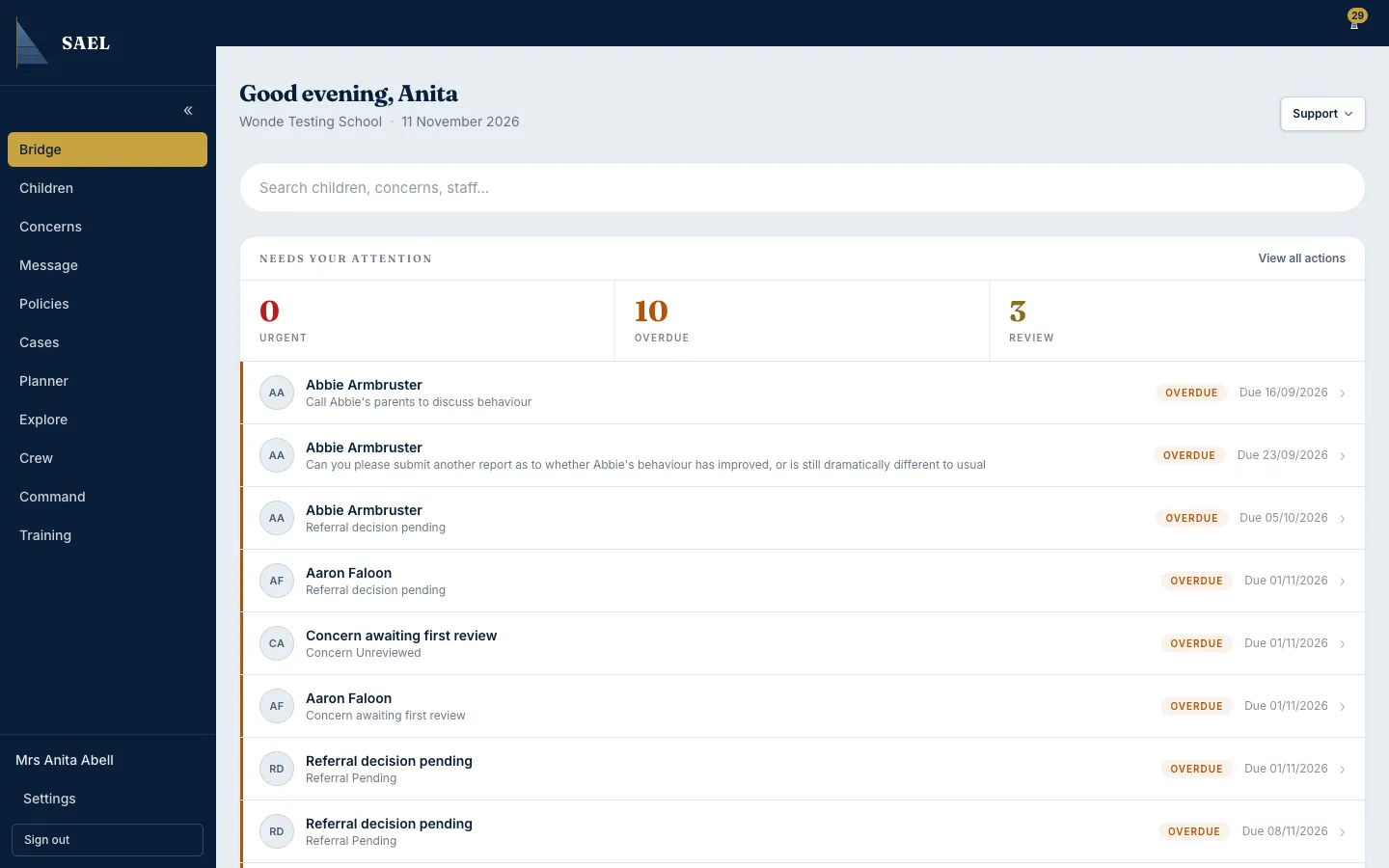
- Sign in to SAEL.
- Use the main menu to open the area you need. On a narrow screen, open the menu using the menu control near the top of the page.
- To return to your role’s normal landing page, select the SAEL/home link in the navigation.
- Select a dashboard item to open the underlying queue or record. For example, a concern item opens the concern record; a pending Journey item opens the Journey queue.
- Use the page’s own tabs and filters to narrow the list. Returning to the dashboard does not complete the work represented by a tile; complete the underlying review or task in its record.
Crew and Command
Section titled “Crew and Command”SAEL groups staff-facing work and setting configuration into two areas:
- Crew is about people: staff records, compliance, training and, when enabled and permitted, staff safeguarding.
- Command is about the setting: Community Reporting, Organisation, Safeguarding configuration, Integrations and Audit.
The Crew and Command pages share a route but display different tabs. A tab may not be visible if your role does not have access to it, or if the relevant module is switched off.
Find the area for a task
Section titled “Find the area for a task”| What you need to do | Where to start |
|---|---|
| Find a child | Children |
| Log or review a concern | Log a Concern or Concerns |
| Move a child record | Journeys / Pending Journeys |
| Check staff training or vetting | Crew → Staff |
| Invite staff or change roles | Command → Organisation → Staff & roles |
| Switch setting modules on or off | Command → Organisation → Details → Setting controls |
| Change concern categories or routing | Command → Safeguarding |
| Send a message | Messages |
| Contact SAEL | Support → Raise a support ticket |
A note about permissions
Section titled “A note about permissions”Do not assume that two colleagues will see the same menu. SAEL hides some links where a role does not have permission, and the server checks access again when a page or action is opened. A missing menu item is not necessarily a fault. See roles and access.